Inttegro SDK for Flutter
The Inttegro SDK for Flutter presents Inttegro's native iOS and Android payment sheet through a typed Flutter plugin. The native SDKs own presentation, accessibility, authentication, payment collection, and lifecycle state.
Before writing SDK code, connect your MCP client and ask MCP to design the integration for your mobile checkout flow. Use the resulting plan to define the boundary between your server, this SDK, and the Inttegro API.
This SDK is not yet published for live payments. It currently supports mobile money; card payments, Apple Pay, and Google Pay are not exposed.
Requirements
- Flutter 3.44 or later and Dart 3.12 or later
- iOS 16 or later
- Android API 26 or later
- An Inttegro order created and finalized by your server
After adding the local package, fetch dependencies and rebuild the application so Flutter can register the native plugin. Hot reload cannot add a newly installed native plugin to a running application.
Native payment sheet
Flutter delegates payment collection to the shared Inttegro SDK for each platform. Both implementations follow the hosted invoice payment experience; these genuine iOS simulator captures show the SwiftUI presentation.
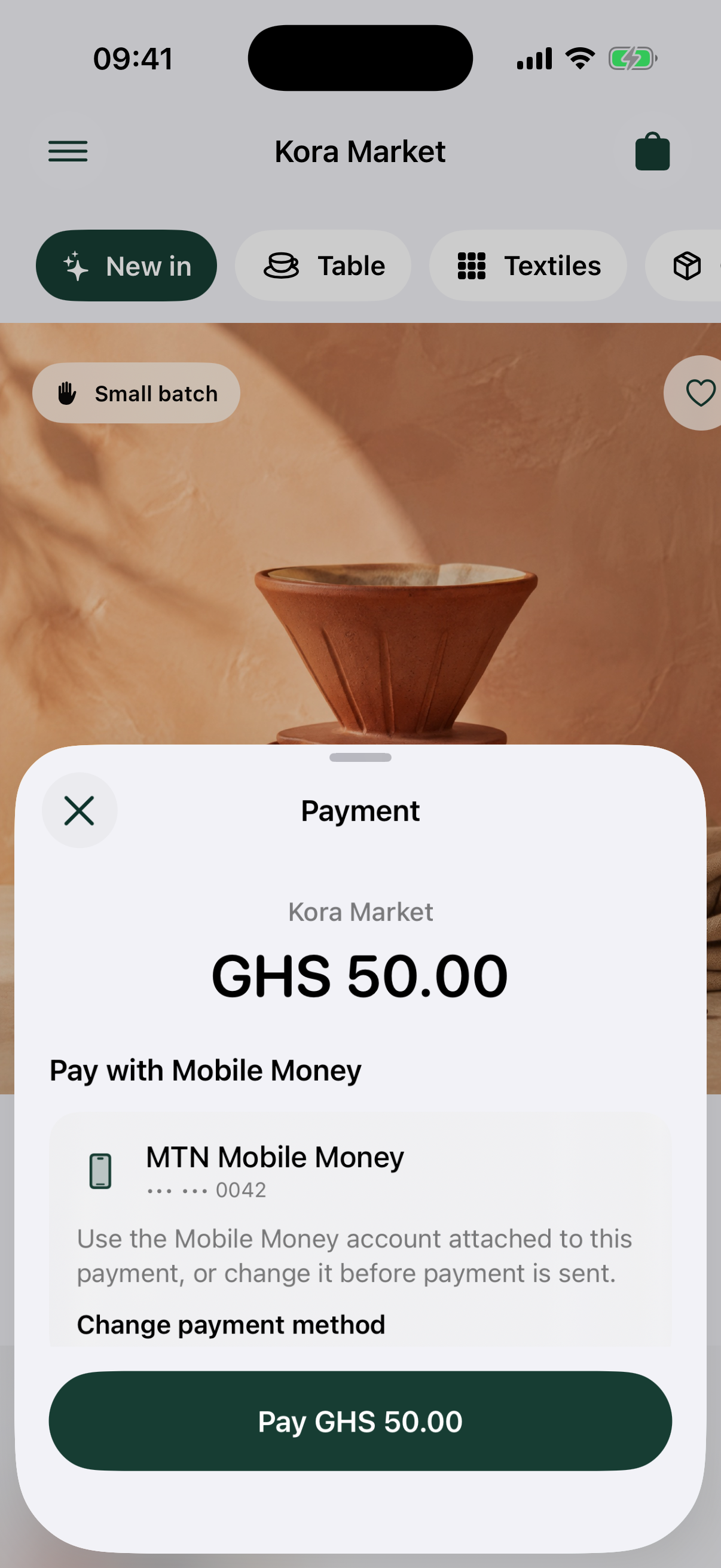
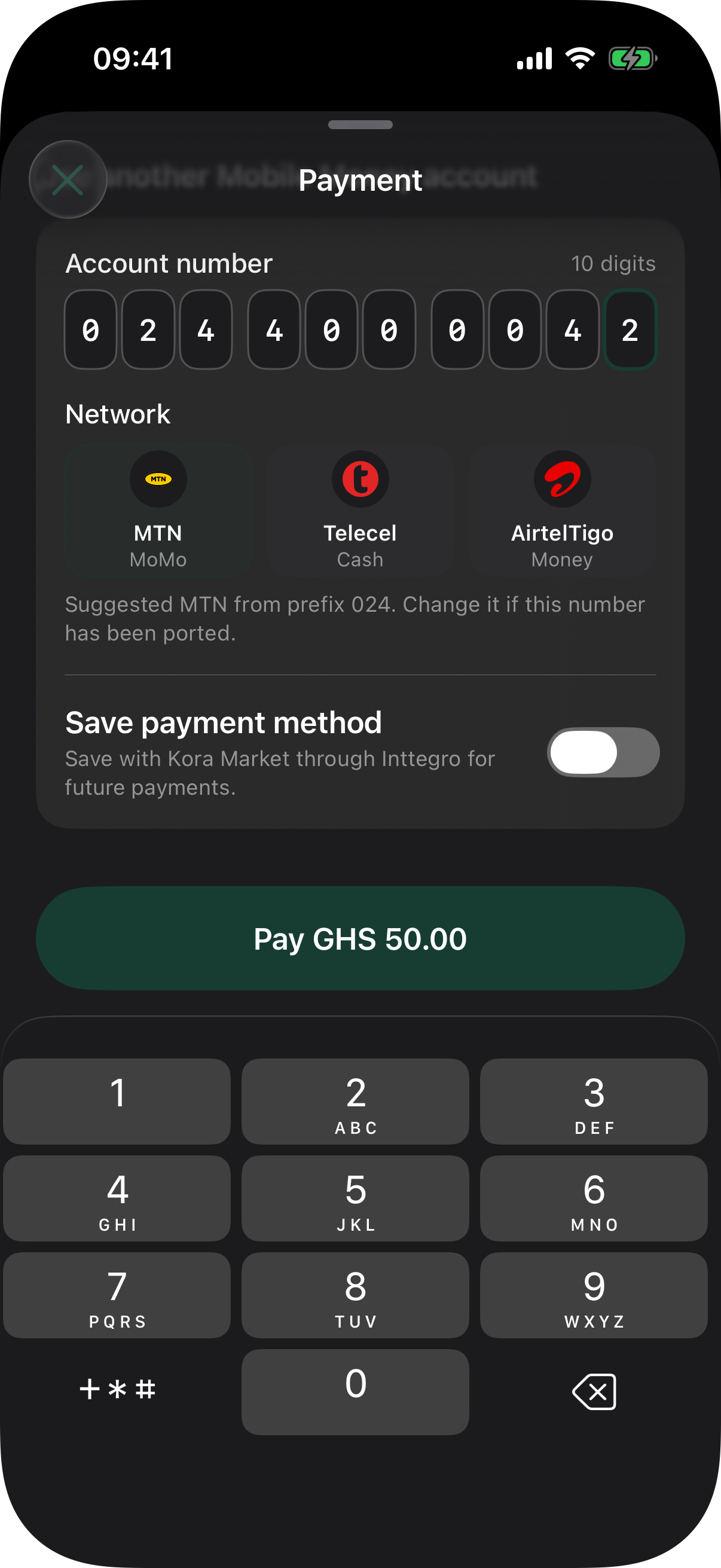
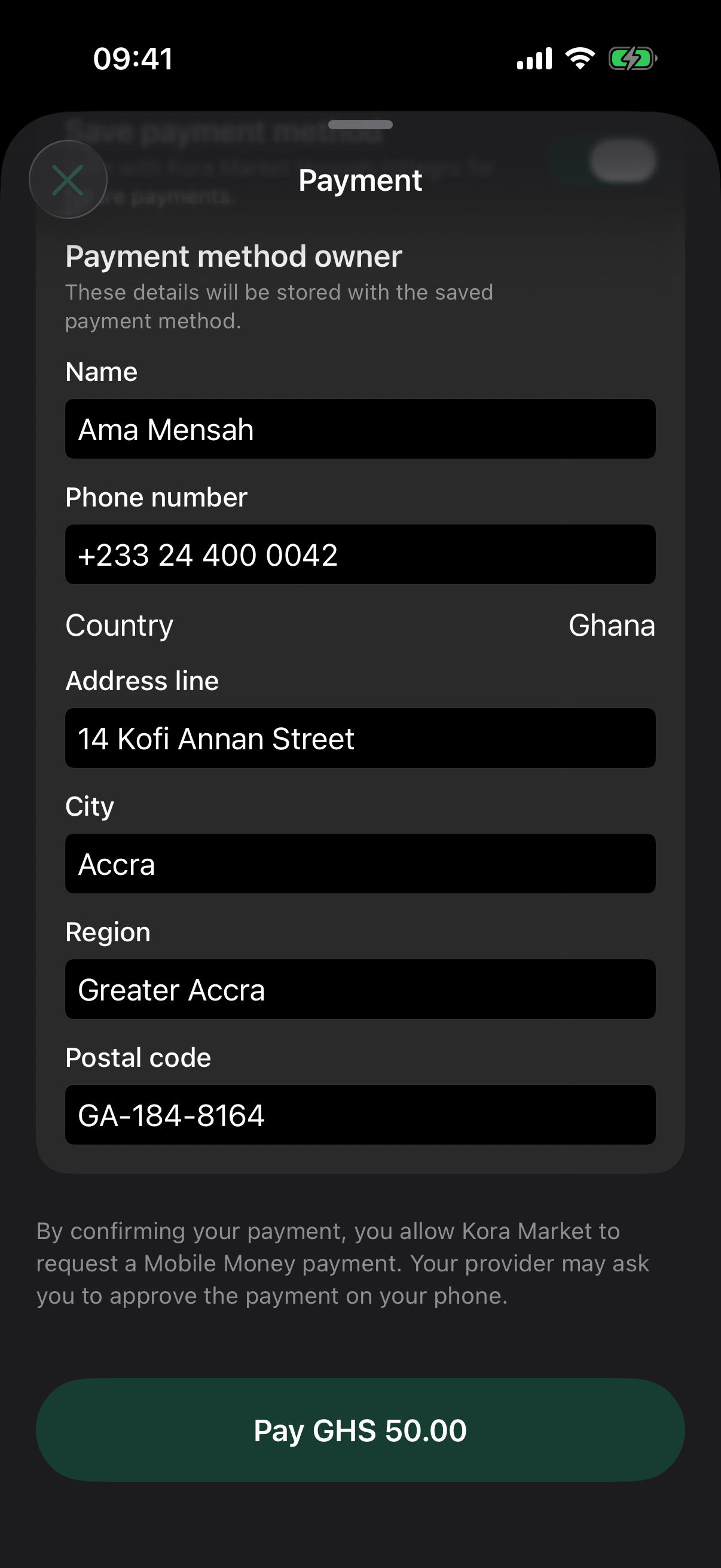
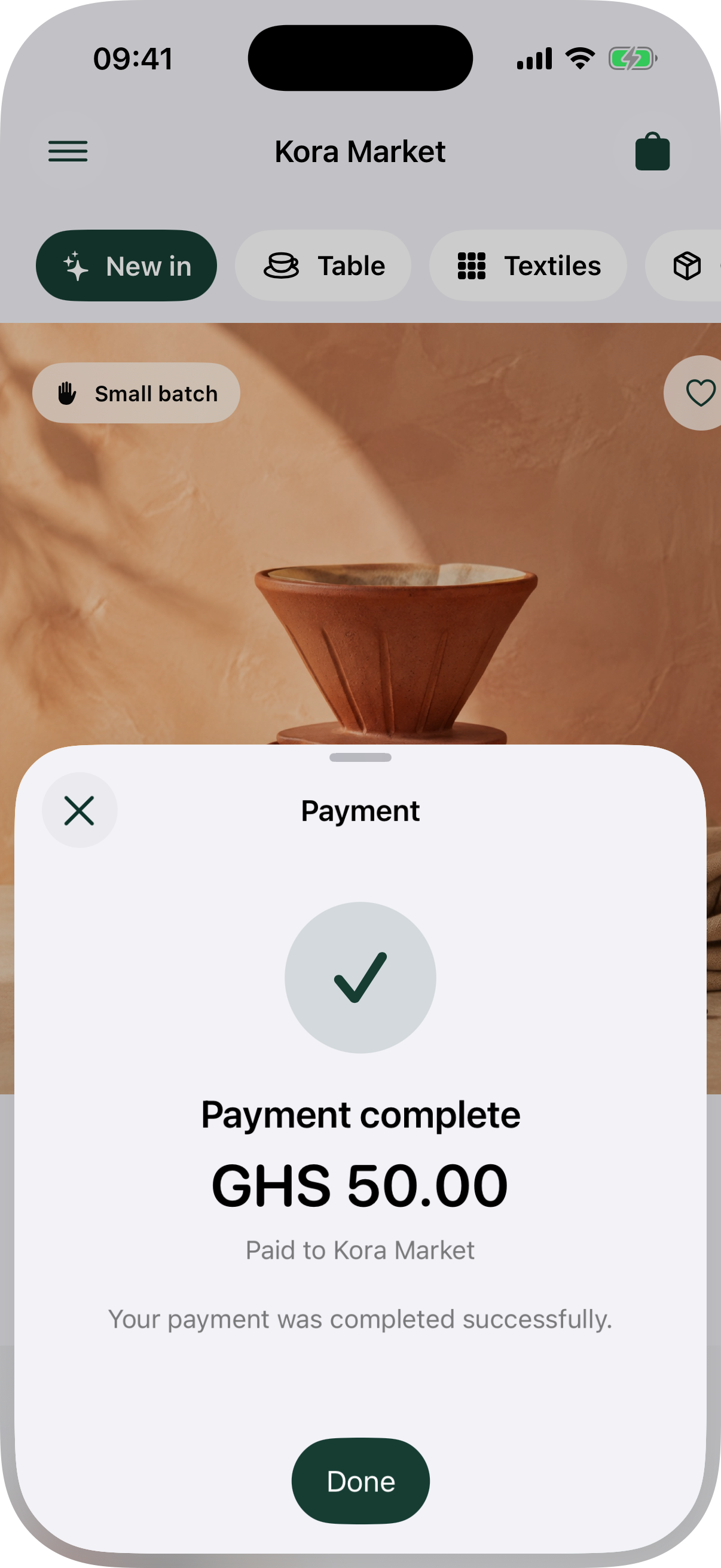
Captured from the shared Inttegro iOS SDK in the Kora Market demo on an iPhone 17 Pro simulator. The checkout data is a deterministic fixture; the payment-sheet UI is the SDK’s native implementation. The Android robot is reproduced from work created and shared by Google and used according to the Creative Commons 3.0 Attribution License.
Present the payment sheet
final telemetrySubscription = Inttegro.instance.paymentSheetEvents.listen(
  (event) {
    recordInttegroEvent(event);
  },
);

await Inttegro.instance.initializePaymentSheet(
  PaymentSheetConfiguration(
    orderId: orderId,
    returnUrl: Uri.parse('merchant-app://inttegro-return'),
    telemetry: activeTraceContext,
  ),
);

try {
  final result = await Inttegro.instance.presentPaymentSheet();
} finally {
  await telemetrySubscription.cancel();
}
The app receives the finalized order ID from your backend. A secret Inttegro API key must never be included in the application bundle.
See it in a complete app
The Flutter storefront demo shows a shopper choosing a product and paying through Inttegro's native payment sheet. Follow the guide to run the mobile app with its Next.js demo backend and see where the product, price, order, and credential responsibilities belong.
Observability
The payment sheet emits ordered lifecycle and Checkout network events for each presentation. Subscribe before presenting the sheet so you do not miss its first event. Your app decides whether to translate those events into spans, logs, or another diagnostic signal.
You can pass the active W3C trace context traceparent and optional tracestate when initializing the sheet. Inttegro does not install an exporter or send the event stream anywhere by itself.
Event data-safety contract
Events contain bounded status and correlation metadata. They never contain order or payment IDs, customer or payer data, payment-method details, request or response bodies, redirect URLs, or raw error messages. Do not use flowId or requestId as metric labels.